From Autocomplete to Co‑Creation
In the early days, developer productivity tools focused on syntax highlighting, autocompletion, linting, and static analysis. Over time, these matured into richer IDE features and plugins. The rise of large language models (LLMs) enabled a new class of AI coding assistants — tools that can parse context, generate logic, and produce code from natural language prompts.
GitHub Copilot, launched in 2021, became a flagship example: embed an AI “pair programmer” in your editor, suggest lines or blocks of code, autocomplete, translate comments to code.
Amazon’s CodeWhisperer targets AWS-centric code and cloud integration, offering context aware suggestions and code completion plus hints around best practices for cloud usage.
But today (2025), these tools are evolving further:
- Generating unit tests, integration tests, or test scaffolding.
- Detecting errors, vulnerabilities, or code smells during or after generation.
- Suggesting architectural refactors or modularization.
- Helping with documentation, code comments, inline API usage.
- Proposing CI/CD scripts, deployment YAML, infrastructure as code.
- In the near future, executing tasks autonomously — e.g., agent‑based tools performing multi‑step workflows.
An academic work “AutoDev” demonstrates an AI agent framework that can not only edit files, but execute builds, run tests, and manage git operations, all under controlled environments.
Thus, the dynamic is shifting: the AI becomes a collaborator, and the human becomes a shepherd, reviewer, designer, integrator, and safety net.

Capabilities of Modern AI Coding Assistants
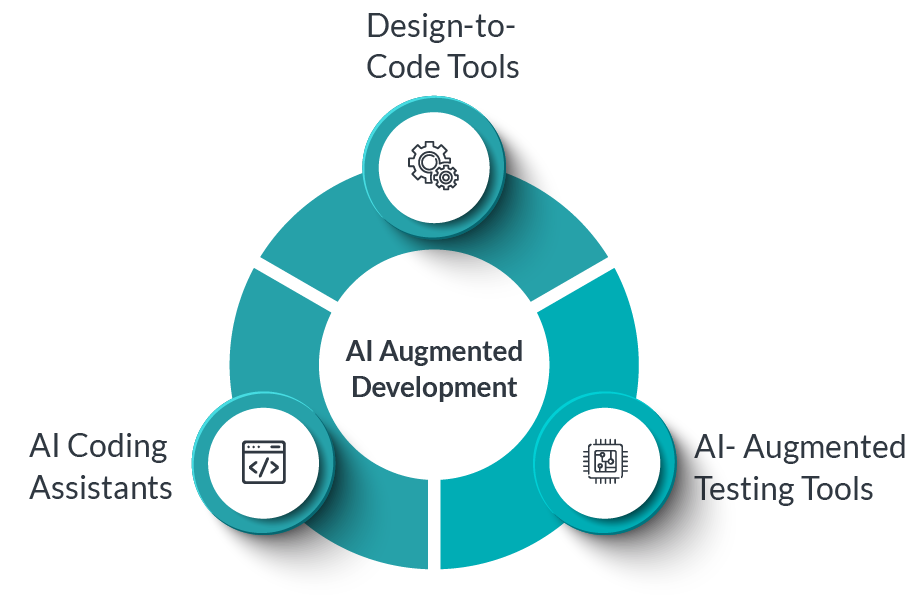
Below is a breakdown of core and emerging capabilities:
| Capability | Description | Examples / Tools |
|---|---|---|
| Contextual code completion | Suggest code snippets or entire functions based on surrounding context (code, comments, imports) | Copilot, CodeWhisperer, Tabnine |
| Natural language → code translation | Write code from problem statements or comments | “Generate function to sort by frequency” style prompts |
| Test generation | Create unit or integration tests automatically, mock scaffolds, edge cases | AI trials in CodeWhisperer and Copilot Chat |
| Error / vulnerability detection | Highlight possible bugs, security issues, or anti‑patterns | Empirical study shows ~25–30% of AI generated snippets may carry security flaws. |
| Refactoring / restructuring suggestions | Propose splitting functions, simplifying control flow, better modularization | Emerging in AI assistants and research |
| Documentation & comments | Generate Javadoc / docstrings / inline comments, or API docs | Many assistive tools already do this |
| Infra / DevOps scaffolding | Generate CI pipelines, Dockerfiles, IaC (Terraform, CloudFormation) | Some tools already support infra hints; evolving further |
| Autonomous agents / pipelines | Multi-step chaining: plan, code, test, commit, validate | Research and experimental tools like AutoDev framework |
Because these tools are connected to cloud models and can access large corpora of existing code, they can internalize design patterns, usage idioms, and best practices — if trained or prompted well.
One caution: though powerful, they still make mistakes, hallucinate, or produce insecure code, so human oversight remains crucial.
The Changing Role of the Developer
With AI assistants taking on more of the implementation grunt work, the human developer’s value shifts. Here’s how the role is evolving:
1. Architect, Designer, and Systems Thinker
Rather than writing every line, developers will spend more time:
- Devising system and module boundaries, APIs, data flows, and interactions.
- Writing specifications, user stories, design documents which AI can then realize.
- Defining non‑functional requirements (performance, reliability, security) that become constraints in AI generation.
In this paradigm, the developer crafts a “prompt + constraints + guide rails” as input, and the AI becomes the implementer.
2. AI Shepherd & Prompt Engineer
The developer becomes a curator and prompter:
- Crafting good prompts that produce correct, readable, maintainable code.
- Validating generated outputs, iterating prompts, refining.
- Guarding against overfitting or hallucinations.
- Selecting between alternative generated variants.
Prompt engineering becomes a core skill.
3. Quality Gatekeeper & Reviewer
Given that AI can generate many options, the human:
- Reviews for correctness, readability, maintainability, security.
- Runs tests, benchmarks, static checks.
- Ensures that the AI output aligns with architecture, style, conventions.
- Merges or rejects AI‑generated pull requests.
In essence, you verify, refine, and polish what the AI produces.
4. Integration & Glue Code
AI often handles isolated modules; the developer will be responsible for:
- Integrating components with existing systems.
- Dealing with APIs, external dependencies, edge cases.
- Orchestrating workflows that span domain logic, data pipelines, infrastructure.
5. Monitoring, Observability & Post‑Deployment Oversight
Even after code is deployed:
- Monitor for runtime bugs, performance bottlenecks, error conditions.
- Chart feedback loops — when AI outputs misbehave, capture examples to feed back into future prompts or training.
- Maintain guardrails, logging, safety checks, fallback behaviors.
6. Ethical, Licensing & Governance Oversight
As AI outputs derive from models trained on code corpora, there are questions of licensing, provenance, bias, and security. The developer/custodian ensures:
- No license violations or inadvertent copying of proprietary code.
- Compliance with data privacy, IP policies.
- Ethical constraints and bias mitigation.
In summary: the developer transitions from being “the writer of all code” to being the designer, validator, overseer, integrator, and AI collaborator. Many commentators now call this “guiding AI” rather than coding from scratch.
One blog puts it succinctly:
“Developers become guides, reviewers and architects — overseeing AI outputs, ensuring correctness and focusing on system design and user experience.”
Benefits & Value Creation
Why adopt AI‑augmented development? What advantages do organizations and teams gain?
- Productivity & Speed
AI reduces boilerplate coding, repetitive patterns, pulling from known idioms. Teams can prototype faster, launch features quicker, and reduce time spent on plumbing. - Lower Entry Barrier / Onboarding Boost
Junior developers or less experienced engineers can be more effective earlier, aided by AI suggestions, templates, and guidance. - Consistency & Conventions
AI can enforce style, linting, best practice patterns across codebases, reducing variance and drift. - Better Testing / Coverage
Automatic generation of tests and edge case scenarios helps catch regressions early. - Focus on High-Value Tasks
Developers can spend more cycle time on research, architecture, innovation, UX, optimization—less on repetitive coding. - Fewer Bugs and Faster Debugging
AI-assisted error detection, static analysis, and refactor suggestions help reduce defects earlier. - Scalability & Leverage
When well integrated, AI becomes a force multiplier—teams can accomplish more with fewer human hours.
However, benefits depend on correct adoption, governance, and oversight. Without discipline, risks crop up.
Risks, Challenges & Pitfalls
As with any transformative technology, there are significant caveats. Here are the top risks and how to mitigate them:
1. Incorrect or Buggy Code / Hallucinations
AI may generate logically incorrect code, subtle bugs, misplaced edge-case logic, or “hallucinated” behavior (code that looks plausible but doesn’t function).
Mitigation: always review, test, validate, run static analysis, code reviews, and build a feedback loop to reject or correct bad outputs.
2. Security Vulnerabilities & Weak Patterns
Empirical studies show that AI-generated code can have security weaknesses. One study found ~25–30% of AI‑generated Python/JavaScript snippets exhibited vulnerabilities spanning the CWE Top 25.
Mitigation: integrate security scanners, SAST, DAST, pen tests, and strict review protocols. Use policy-based guardrails (e.g. disallow unsafe patterns, enforce input validation, limit external dependencies).
3. Licensing / Copyright / IP Risks
If the model was trained on open code, it may inadvertently reproduce copyrighted snippets or licensed code in your outputs, leading to legal exposure.
Mitigation: use “filtering / licensing-aware” AI models, record provenance, enable license checks, and maintain a policy for AI outputs. Some organizations only allow AI to generate “scaffold / suggestions” which must be reworked manually.
4. Overreliance & Skill Atrophy
If developers lean on AI too heavily, they may lose deeper understanding of fundamentals, algorithms, architectures, or debugging skills.
Mitigation: enforce “code vs AI balance” rules, periodically task developers to solve core problems unaided, allocate training and review of fundamentals.
5. Fragmented Codebase / Inconsistent Styles
With many AI-generated pieces, inconsistency may creep in: divergent naming conventions, architecture mismatches, coupling issues.
Mitigation: enforce linting, style guides, architecture constraints in prompts, modules templates, and continuous review.
6. Performance, Maintainability & Scalability Issues
AI might generate code that works functionally, but is inefficient, not optimized for scale, or hard to maintain.
Mitigation: review performance, complexity, memory/time constraints. Use profiling, benchmarks, and require human assessment for production‑critical paths.
7. Integration Complexity & Legacy Systems
AI may struggle to fully understand or integrate with messy legacy code, undocumented modules, or weird dependencies. It can produce code that doesn’t align with existing patterns.
Mitigation: supply as much contextual information as possible in prompts (imports, existing modules), restrict AI to modular tasks, and require human stitching.
8. Trust, Explainability & Transparency
Generated code might be opaque—understanding “why” the AI wrote something is hard.
Mitigation: treat AI outputs as drafts, comment them, require explanation or justification, annotate decisions, keep human-in-the-loop and maintain versioning.
9. Cultural Resistance & Change Management
Teams may resist adopting AI workflows due to fear, skepticism, or shifting responsibilities.
Mitigation: pilot programs, training, clear governance, measure wins, and gradually shift culture.
10. Resource & Cost Overhead
AI models, inference calls, cloud usage, and integration infrastructure add cost. Excessive reliance can drive up compute or API costs.
Mitigation: monitor usage, optimize prompt length, cache outputs, batch calls, and control usage by roles or tiers.
Best Practices & Strategies for Adoption
To adopt AI‑augmented development responsibly and effectively, teams should follow these best practices:
1. Start Small, Pilot
Begin with non-critical modules or internal tools. Let teams experiment, learn prompt patterns, workflows, and guardrails. Use this to capture metrics, establish feedback loops, and refine guidelines.
2. Define Clear Scope & Use Cases
Don’t let the AI “free roam” across the entire codebase. Constrain it initially to:
- Generating helper modules or utilities
- Writing test stubs or coverage scaffolding
- Suggesting refactors on low-risk modules
As confidence builds, expand scope.
3. Human-in-the-Loop Always
Never trust AI blindly. Always require human review, verification, and oversight before merging. Use peer reviews, pair programming workflows, or gated code review.
4. Build Prompt Libraries & Patterns
Document and share prompt templates, scaffolding approaches, and proven patterns within the team. Over time, prompt engineering becomes a formal discipline with versioning and sharing.
5. Version & Audit AI Outputs
Whenever AI generates code or artifacts, keep track:
- Which prompt led to which output
- Versions, timestamps, context
- Allow rollbacks or traceability
This helps in debugging, compliance, and auditing.
6. Integrate Static Analysis, Linters & Security Tools
Automatically run static analyzers, code linters, security scanners, performance tests on AI-generated code. Treat AI outputs like human code.
7. Enforce Modular Designs & Constraints
Design modules with clear interfaces and constraints. Use AI within constrained boundaries, not free generation across layers. This keeps integration manageable.
8. Provide Context in Prompts
To get good output, include:
- Relevant imports / library context
- Interfaces, type hints
- Existing module stubs
- Docstrings or specification
- Style / naming conventions
Better input yields better output.
9. Use Guardrails & Filters
Filter for disallowed patterns (e.g. raw SQL injection, shell access, insecure functions). Block suggestions that violate policy. Use “red teaming” prompts to test AI for malicious edge cases.
10. Invest in Training & Culture
Train engineers not just to code, but to guide AI, review AI, prompt AI, and fix AI errors. Encourage a culture of continuous learning, shared prompt libraries, and collaborative review.
11. Measure Value & ROI
Track metrics like:
- Time saved in implementation
- Reduction in bugs or regressions
- Number of AI‑generated vs human lines
- Developer satisfaction / sentiment
- Cost of inference / API usage
Use these to justify expansion or course correction.
12. Plan for Gradual Escalation
Over time, as your confidence increases:
- Move from suggestions → partial autonomy → multi-step workflows
- Allow AI to propose pull requests or incremental changes
- Let AI run code, tests, or apply minor patches (under supervision)
But always keep human oversight.
Practical Scenarios & Example Workflow
Here’s a hypothetical flow of how a developer team might use AI assistants in a feature workflow:
- Requirement / Design Phase
- Product writes a feature spec in Markdown, with sample inputs, constraints, edge cases.
- Developer reviews spec, perhaps refines it, then issues prompts like:
“Generate the service layer, repository interface, and data model for a ‘user preferences’ feature in Java Spring, with tests using JUnit and Mockito.”
- AI Generation Phase
- AI assistant (e.g. Copilot Chat) generates candidate classes, test stubs, sample queries.
- It may generate multiple variants; developer chooses, merges, or asks for adjustments.
- Review & Refinement
- Developer inspects code for business constraints, edge cases, semantic gaps.
- Adds missing validations, error handlers, corner-case logic.
- Runs basic local tests, integrate with existing modules, catch integration errors.
- Security & Static Checks
- Run lint, static analysis (e.g. SonarQube, SAST) and security scanners.
- Reject or flag dangerous patterns (e.g. SQL injection, command injection).
- Request AI regenerate or patch vulnerable parts if needed.
- Integration & Deployment
- Stitch AI-generated module with existing pipeline, add endpoints, integrate with upstream services.
- AI may also suggest a CI YAML or deployment script; human verifies before applying.
- Monitoring & Feedback Loop
- Observe runtime metrics, error logs after deployment.
- If AI-generated logic misbehaves, capture that example.
- Feed back into prompt library or training set.
Over iterations, teams refine prompts, styles, constraints, and increase the ratio of features initially scaffolded by AI.
Some forward-looking systems are experimenting with AI agents which take a feature request and autonomously spin up tasks, commit PRs, run tests, and tag humans only for review. This is already discussed in research such as AutoDev.
What to Expect in the Near & Medium Term (2025–2028)
Here are emerging trends and where the field is headed:
1. Multi‑Agent AI Workflows
AI agents will collaborate to handle sub‑tasks: one for architecture, one for test generation, one for integration, one for deployment. Developers oversee the orchestration. Some companies are already building internal “agent frameworks.”
2. Autonomous Pull Requests & Pipelines
AI may autonomously generate or update code, wrap in pull requests, run CI jobs, and notify developers when ready for review. GitHub’s “agent mode” in Copilot is a step in that direction.
3. Better Context Awareness & Memory
AI models will better remember project history, codebases, architecture, change logs, design docs — enabling more coherent, long-range suggestions.
Hybrid frameworks (like combining local retrieval + cloud models) will allow faster, context-rich responses. A paper called CAMP explores combining local & cloud models to give richer, context-aware suggestions.
4. Domain‑Specific Models & Custom Training
Teams will train domain-specific LLMs (for finance, healthcare, embedded systems) to yield more precise, safe, and compliant code.
5. Governance, Certification & Auditing Tools
Automated tools to certify AI-generated code for compliance, licensing, security, and maintain audit trails will emerge.
6. Role Evolution & New Roles
- AI Prompt Engineers / AI Stewards will emerge as formal roles, responsible for prompt libraries, oversight, and refining AI behavior.
- Model Trainers & Validators may work within engineering teams, feeding back error cases, curating model updates, and fine-tuning domain models.
- AI Ethics / Compliance Engineers will ensure AI outputs align with legal, privacy, and licensing constraints.
7. AI in Non‑Coding Dimensions
AI will increasingly help in user experience, design (UI prototyping), product spec writing, database schema design, analytics queries, and more.
8. Increasing Trust & Adoption
As AI-generated code quality improves and human oversight scaffolding matures, adoption will widen, especially for internal tools, backends, non-critical components, etc.
FAQs
1. Will AI replace developers?
No — not entirely. While AI will automate many routine tasks, humans are indispensable for design, oversight, creative problem solving, domain knowledge, architecture, ensuring correctness, and dealing with ambiguity. The role shifts rather than disappears.
2. Can junior developers survive this shift?
Yes — but the skill expectations will shift. Juniors will need to become good at prompt engineering, understanding AI suggestions, reviewing and refactoring, and working with AI outputs rather than purely coding from scratch. There’s risk of skill atrophy if over-reliance occurs.
3. How safe is AI‑generated code for production?
It depends on your guardrails. AI can produce functional code, but also subtle bugs or vulnerabilities. Empirical studies show a non-trivial fraction contain security flaws. Use code review, static analysis, security scans, and human validation.
4. How to choose between Copilot, CodeWhisperer, or other assistants?
Consider the following:
- Language / framework support
- Cloud / platform alignment (e.g. AWS / Azure)
- Security & compliance features
- On-prem / offline support
- Licensing, cost, vs. ROI
- Prompt flexibility, extensibility
Copilot is general-purpose and broad; CodeWhisperer has strong AWS integration.
5. What skills should developers learn now?
- Prompt engineering
- Reviewing AI outputs critically
- Defensive programming, secure coding
- Architecture, system design, specification writing
- Observability, testing, CI/CD pipelines
- Understanding AI limitations, model behavior, debugging AI code
6. How to integrate AI tools into existing software workflows?
Start with pilot teams, build prompt libraries, integrate AI tools into IDEs or CI, establish review flows, version AI artifacts, governance policies, training, and metrics. Expand gradually from utility modules to more core areas.
Why Organizations Should Care
From a strategic perspective, organizations that embrace AI‑augmented development early stand to gain:
- Competitive advantage via faster time-to-market and feature velocity
- Better developer productivity and lower costs over time
- Improved code consistency, fewer trivial bugs, higher quality
- Empowerment of junior engineers and faster onboarding
- Ability to reallocate human effort toward high-value innovation
- Building internal capability in AI tooling (a core competency)
But those who resist may fall behind. The shift is incremental but irreversible — just as companies once transitioned from hand-coded everything to frameworks, code generators, template engines, low-code, etc., this is the next frontier.
Still, success demands discipline, governance, upskilling, culture change, and risk management.
Summary & Takeaways
- AI coding assistants have advanced from simple autocomplete to generating tests, proposing refactors, integrating modules, and in some research contexts executing pipelines.
- The developer’s role is shifting: from full implementation to designing, overseeing, shepherding AI, reviewing, and integrating.
- Benefits include speed, consistency, heavy lifting off developer plates, better testing, and more.
- Key risks: incorrect code, vulnerabilities, licensing issues, overreliance, integration complexity.
- Best practices: human-in-loop, prompt libraries, static analysis, modular design, versioning, governance, pilot adoption.
- In coming years, multi-agent AI, more autonomous pipelines, domain-specific models, and AI stewardship roles will become mainstream.